




Blog / Lebanon Chevrolet Dealer

Memory Seats in Your Chevrolet or GMC: A Step-by-Step Guide

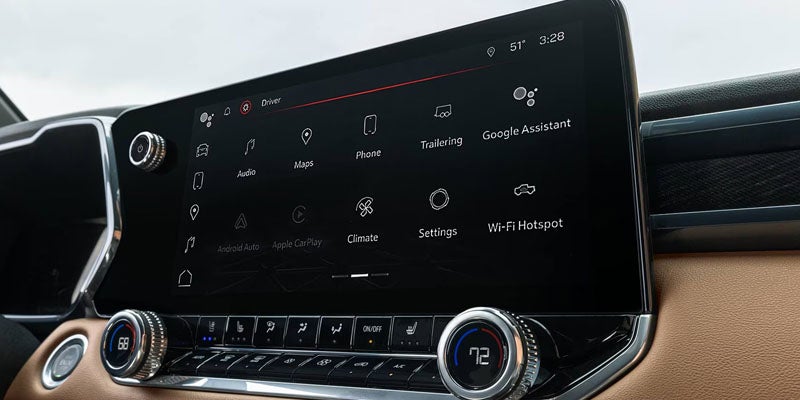
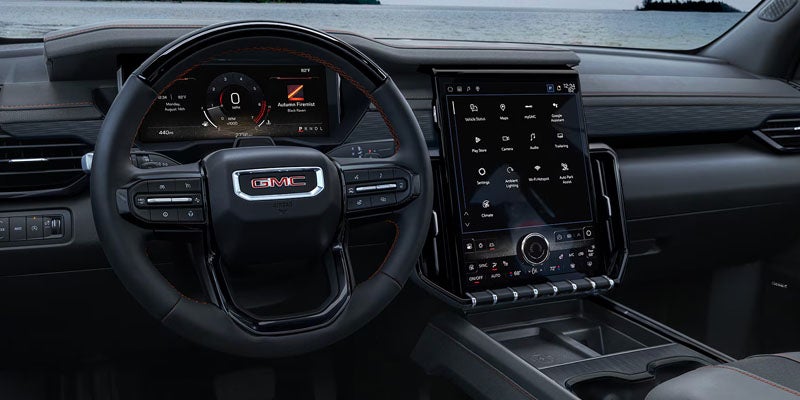
A 2026 GMC Acadia display screen - Memory Seats in Your Chevrolet or GMC Vehicle: A Step-by-Step Guide

Memory seats are one of the most convenient and comfortable features in modern Chevrolet and GMC vehicles. These systems allow you to save your preferred seating position, so you never have to manually adjust your seat every time you drive. Whether you're behind the wheel of a Chevrolet Silverado or a GMC Sierra, setting memory seats ensures that your driving position is always just how you like it, whether you're driving solo or sharing the vehicle with others.

In this guide, we’ll walk you through the process of how to set memory seats using both the door buttons and the vehicle's display screen. By following these easy steps, you'll enjoy an optimal driving experience every time.

What Are Memory Seats and How Do They Work?

Memory seats allow you to save and recall specific seat positions with the push of a button. This is especially useful in households with multiple drivers. The system allows the driver to adjust the seat's position, height, tilt, and sometimes the steering wheel and mirrors, so that each driver can have their optimal comfort settings. Once saved, these settings can be recalled quickly for a personalized driving experience.

Memory seats are controlled through two main systems: physical buttons located on the door and a digital interface accessible through the vehicle’s display screen.

How to Set Memory Seats Using the Door Buttons

In your Chevrolet or GMC vehicle, the memory seat buttons are located on the driver’s side door panel. These include the Set, 1, 2, and Easy Exit buttons. Here's how to use them to save and recall your preferred seat positions:

Step 1: Adjust the Seat to Your Desired Position

Before setting your memory seat, adjust the seat to your ideal position. This includes adjusting the seat's forward/backward position, height, and backrest recline. If your vehicle includes steering wheel adjustments, be sure to position the steering wheel to your liking as well.

Step 2: Locate the Memory Buttons

On the driver’s side door, you’ll find the Set, 1, 2, and Easy Exit buttons. These are essential for saving and recalling seating positions:

  • Set: Used to store the seat position.
  • 1: Preset for the first driver’s seat position.
  • 2: Preset for the second driver’s seat position.
  • Easy Exit: This button adjusts the seat for easy exit when the vehicle is turned off.

Step 3: Save Your Seat Position

Once you’ve adjusted the seat to your preferred settings, press and hold the Set button, then press either 1 or 2 to assign the seat position to the corresponding memory profile. After pressing the button, you’ll hear two distinct beeps, indicating the memory has been saved. This confirms that the settings have been successfully stored.

Step 4: Recall the Memory Setting

To recall your saved seat position, simply press the 1 or 2 button on the door. The seat will automatically adjust to your saved settings. This allows you to switch between drivers without manually adjusting the seat each time.

Easy Exit Function

When you turn off your Chevrolet or GMC vehicle, the Easy Exit button automatically moves the seat back to a position that allows for an easier exit from the vehicle. This feature is incredibly helpful when you're ready to get out of the vehicle, as it creates more space between the seat and the steering wheel.

Using the Display Screen to Turn On Memory Seat Features

Your Chevrolet or GMC vehicle also includes a display screen where you can manage memory seat settings. While the display screen does not allow you to adjust seat positions directly, it is used to activate the memory seat feature for entry and exit memory.

Step 1: Access the Settings Menu

From the home screen on your vehicle's display, tap Settings. Then navigate to Vehicle and select Seating Position.

Step 2: Toggle Memory Settings

Within the Seating Position menu, you'll find options to activate Driver Seat Entry Memory and Driver Seat Exit Memory. Toggle both settings to "On" to ensure the memory seat function works for both entry and exit.

  • Driver Seat Entry Memory: This feature adjusts the seat to your saved position when you start the vehicle, ensuring your seat is always in the right spot as soon as you get in.
  • Driver Seat Exit Memory: This feature moves the seat back to a position that allows for easier entry and exit when you turn off the vehicle.

Once these settings are activated, the memory seats will function automatically according to your preferences every time you drive.

Benefits of Memory Seats in Your Chevrolet or GMC

Memory seats offer several advantages for drivers who want to experience a high level of comfort and convenience in their vehicle. Here are some of the main benefits:

  • Personalized Comfort: Memory seats ensure that each driver can enjoy their optimal seat position without needing to make manual adjustments each time they drive.
  • Convenience for Multiple Drivers: In a household or workplace with more than one driver, memory seats eliminate the need for constant seat adjustments, allowing everyone to drive comfortably.
  • Enhanced Accessibility: The Easy Exit feature makes getting out of the vehicle much easier, especially for those who find it difficult to get in and out of the vehicle due to seating position.
  • Better Driving Posture: By ensuring the seat is always positioned correctly, memory seats help maintain better posture, reducing the risk of discomfort during long drives.

Chevrolet and GMC Models That Offer Memory Seat Features

Memory seats are available on many higher trim levels across the Chevrolet and GMC lineup. While availability depends on the vehicle, trim level, and equipment package, this feature is commonly found on models designed with enhanced driver comfort and convenience.

Some Chevrolet models that may offer memory seating include:

  • Chevrolet Silverado 1500
  • Chevrolet Tahoe
  • Chevrolet Suburban
  • Chevrolet Traverse
  • Chevrolet Equinox

Some GMC models that may include memory seat technology include:

  • GMC Sierra 1500
  • GMC Yukon
  • GMC Acadia
  • GMC Canyon

Depending on the vehicle, memory settings may store more than just the driver’s seat position. Some models can also save adjustments for features like outside mirrors, steering column position, and other personalized comfort settings. Always check your owner’s manual or vehicle settings menu to confirm available features for your specific Chevrolet or GMC model.


Common Chevrolet and GMC Memory Seat Problems and Solutions

While memory seats are designed to make driving more convenient, occasional issues can occur. If your Chevrolet or GMC memory seat is not working correctly, try these troubleshooting steps.

Memory Seat Will Not Save a Position

If your seat position is not saving, make sure you are following the correct setup process:

  • Place the vehicle in Park.
  • Adjust the seat, mirrors, and steering wheel to your preferred position.
  • Press and release the Set button.
  • Immediately press and hold the desired memory button until you hear confirmation chimes.

If you do not hear the confirmation sounds, the position may not have been saved successfully. Repeat the process and make sure the button sequence is completed correctly.

Memory Seat Does Not Move to the Saved Position

If the seat does not return to the stored position:

  • Make sure nothing is blocking the seat tracks.
  • Hold the memory button until the seat finishes moving.
  • Confirm you are using the correct driver profile or key fob.
  • Check that Seat Entry Memory and Easy Exit settings are enabled.

Some Chevrolet and GMC vehicles can connect memory settings to individual key fobs, allowing different drivers to automatically access their preferred seating positions.

Memory Seat Buttons Are Not Responding

If the memory buttons do not activate the seat:

  • Turn the vehicle off and restart it.
  • Check your vehicle settings menu for memory seat activation.
  • Replace the key fob battery if needed.
  • Inspect for any electrical issues if the controls remain unresponsive.

If the problem continues, scheduling a service appointment with a Chevrolet or GMC service department can help identify and repair the issue.


Tips for Getting the Most From Your Memory Seats

A few simple habits can help you get the best experience from your Chevrolet or GMC memory seat system.

  • Save a separate setting for each driver who regularly uses the vehicle.
  • Adjust mirrors and steering wheel before saving your position.
  • Use the Easy Exit setting to create more space when entering and leaving the vehicle.
  • Review your settings after vehicle maintenance or battery replacement.
  • Check your vehicle settings menu to customize memory seat preferences.

Taking a few minutes to properly configure your memory seats can make daily driving more comfortable and reduce the need for repeated manual adjustments.


Frequently Asked Questions About Chevrolet and GMC Memory Seats

Do all Chevrolet and GMC vehicles have memory seats?

No. Memory seats are available only on select Chevrolet and GMC vehicles and trim levels. Availability depends on the model year, trim package, and installed features.

How many driver positions can Chevrolet and GMC memory seats save?

Many Chevrolet and GMC vehicles allow two drivers to save personalized seating positions using Memory 1 and Memory 2 settings. Some vehicles can also connect saved preferences with individual key fobs.

Can memory seats save mirror and steering wheel settings?

Some Chevrolet and GMC vehicles can save additional driver preferences, including outside mirror and steering column positions. Available features vary depending on the vehicle model and equipment package.

Why does my memory seat stop moving during recall?

The system may stop if an adjustment button is pressed, the memory button is released, or an obstruction prevents the seat from moving. Remove any obstacles and try recalling the setting again.

Can I reset my Chevrolet or GMC memory seat settings?

Yes. You can overwrite saved positions by adjusting the seat to a new preferred position and saving it again using the Set and memory buttons.

At Primasing Motors, we are dedicated to providing you with the highest level of customer service and satisfaction. When you choose to shop with us, you're not just purchasing a vehicle; you're investing in a partnership built on trust and a commitment to excellence. Whether you’re looking for a new Chevrolet or GMC vehicle or need expert advice on utilizing features like memory seats, our team is here to help. We understand the importance of comfort, convenience, and personalized service, and we are proud to be your trusted resource for all your automotive needs in Lebanon, OR. Visit us today to experience the Primasing Motors difference and find the perfect vehicle for you.
Posted in:

Related Posts

How to Use the Chevy Multi-Flex Tailgate and Why It Is More Useful Than It First Appears

How to Use the Chevy Multi-Flex Tailgate and Why It Is More Useful Than It First Appears

Truck manufacturers have spent years trying to reinvent the tailgate. Some have turned it into a folding puzzle. Others have added enough moving pieces to make you wonder if it requires its own owner's manual. Chevrolet took a different approach with the Multi-Flex Tailgate. Instead of creating a gimmick, it created something genuinely useful. At first glance, it looks like a normal Silverado 1500 tailgate. Then you discover it can transform into a step, a workbench, a cargo stop, and a loading aid. Suddenly, you realize someone spent time thinking about how truck owners use their trucks. More Than a Tailgate The Multi-Flex Tailgate is available on the Chevrolet Silverado 1500 and offers six distinct configurations. That might sound excessive until you start loading lumber, climbing into the bed, or trying to keep gear from sliding into the parking lot. The system is built around an inner gate and outer gate design that allows different sections of the tailgate to move independently. The result is a truck bed that adapts to the task instead of forcing the task to adapt to the truck. It is one of those features that feels unnecessary until the first time you use it. The Standard Tailgate Still Exists Fortunately, Chevrolet did not forget the basics. The tailgate still drops down like a traditional tailgate whenever you need straightforward bed access. Sometimes simplicity is exactly what the situation requires. For loading equipment, furniture, landscaping supplies, or weekend project materials, the standard open position works exactly as expected. No instructions required. The Fold-Flat Position Makes Loading Easier One of the cleverest configurations is also one of the simplest. With the tailgate lowered, the inner panel folds flat to create a smoother transition into the bed. This removes the small step normally created by the tailgate design and allows long items to slide more easily into place. If you have ever wrestled a heavy sheet of plywood or a long stack of trim boards into a pickup bed, you immediately understand the benefit. Sometimes good design is simply removing an obstacle. The Built-In Step Is Surprisingly Practical Climbing into a truck bed is rarely elegant. Most people either launch themselves upward like an Olympic gymnast or perform an awkward shuffle involving the rear tire. The Multi-Flex Tailgate offers a far better solution. By deploying the integrated step, drivers gain a stable platform that makes bed access dramatically easier. If you're retrieving tools, securing cargo, or organizing camping equipment, the step quickly becomes one of those features you never knew you wanted until you have it. A Work Surface Wherever You Need One Work trucks rarely come with desks. Yet paperwork still needs signing. Tools need somewhere to rest. Measurements need somewhere to be written down. The Multi-Flex Tailgate can create a surprisingly useful work surface at the rear of the truck. For contractors, landscapers, surveyors, and countless other professionals, it provides a stable platform exactly where it is needed. Even for everyday owners, it becomes useful during road trips, tailgates, camping weekends, and home improvement projects. Built for Real Truck Owners What makes the Multi-Flex Tailgate successful is that every configuration solves a practical problem. The step helps you access the bed. The load stop helps secure cargo. The work surface creates usable space. The fold-flat design simplifies loading. None of these functions exist solely to impress people in a showroom. They exist because truck owners encounter these situations. That distinction matters. See the Multi-Flex Tailgate in Person Some truck features are best understood through specifications. The Multi-Flex Tailgate is not one of them. Its value becomes obvious the moment you use it. Drivers throughout Lebanon, OR can explore the Chevrolet Silverado 1500 at Primasing Motors Inc and see firsthand how the Multi-Flex Tailgate transforms a familiar truck component into one of the most versatile features in the segment. If you're hauling equipment, tackling projects, or heading out for a weekend adventure, it is a feature designed to make truck ownership a little easier every day. How to Use the Chevrolet Multi-Flex Tailgate The Chevrolet Multi-Flex Tailgate is designed to give Silverado owners more ways to access, organize, and use their truck bed. Instead of functioning only as a traditional tailgate, it provides multiple configurations that can make loading cargo, reaching items, and creating a workspace easier. The tailgate offers six different positions that provide added flexibility for different tasks. Operation depends on the vehicle’s equipment and configuration, so Silverado owners should refer to their owner’s manual for model-specific instructions. Primary Gate: Functions like a traditional tailgate and provides access to the truck bed. Primary Gate Load Stop: Helps secure longer items when the main tailgate is lowered. Easy Access: Allows the inner gate to fold down, making it easier to reach cargo stored closer to the cab. Full-Width Step: Creates a step for easier truck bed access and includes a handle for additional support. Inner Gate Load Stop: Helps organize cargo and provides additional support for longer items. Inner Gate Work Surface: Creates a convenient area for organizing equipment, reviewing plans, or completing tasks near the truck bed. To operate the Multi-Flex Tailgate, drivers can use available tailgate controls, key fob functions, or interior controls depending on the Silverado’s equipment. The inner gate can also be opened separately for additional access and functionality. Chevrolet Multi-Flex Tailgate Practical Uses for Daily Driving and Work The Chevrolet Multi-Flex Tailgate is built to support a wide range of tasks. Whether you use your Silverado for professional work, outdoor activities, or everyday transportation, the additional tailgate configurations can make loading and organizing cargo more convenient. Common uses include: Loading and unloading tools, equipment, and supplies Securing longer items that extend beyond the standard truck bed Creating easier access to cargo stored near the front of the bed Providing a convenient workspace while parked Making truck bed entry easier Supporting organized cargo storage For contractors, outdoor enthusiasts, and Silverado owners who regularly transport materials, the Multi-Flex Tailgate provides added flexibility that helps adapt the truck bed to different situations. Chevrolet Multi-Flex Tailgate Availability The Chevrolet Multi-Flex Tailgate is available on select Chevrolet Silverado models and depends on the truck’s trim level, configuration, and available equipment. Feature availability can vary by model year and vehicle selection. Drivers interested in a Silverado equipped with the Multi-Flex Tailgate should review available inventory and confirm equipment details before purchasing. At Primasing Motors, our team can help you explore available Chevrolet trucks and determine which features best match your needs. Key availability factors include: Silverado model configuration Selected trim level Available equipment packages Model year specifications Chevrolet Multi-Flex Tailgate Safety and Maintenance Tips Like any truck component, the Chevrolet Multi-Flex Tailgate should be used properly and maintained according to manufacturer recommendations. Proper operation helps support smooth performance and long-term durability. Helpful maintenance and safety practices include: Do not exceed recommended weight limits for tailgate or step functions. Secure cargo properly before driving. Confirm the tailgate is fully closed before operating the vehicle. Check for clearance concerns when towing or using trailer equipment. Keep moving components clean and free from debris. Address unusual noises or operating concerns promptly. When using the full-width step function, Chevrolet specifies that the step is designed to support up to 375 pounds when used as intended. Silverado owners should always follow the instructions provided in their vehicle’s owner’s manual. Does the Chevrolet Multi-Flex Tailgate Cost More? The availability and pricing of the Multi-Flex Tailgate depends on the Chevrolet Silverado model, trim level, and selected equipment package. Because configurations vary, the best way to determine availability is by reviewing current Silverado inventory and discussing available options with a Chevrolet dealership. At Primasing Motors, we can help you compare Chevrolet Silverado models, review available features, and find a truck equipped with the functionality you need. Chevrolet Multi-Flex Tailgate FAQs How many positions does the Chevrolet Multi-Flex Tailgate have? The Chevrolet Multi-Flex Tailgate offers six different configurations designed to provide additional cargo access, storage flexibility, and workspace options. These include the primary gate, load stops, easy access mode, full-width step, and inner gate work surface functions. Can the Chevrolet Multi-Flex Tailgate be used as a step? Yes. When configured properly, the inner gate folds into a full-width step designed to make entering and exiting the truck bed easier. Chevrolet specifies that the step can support up to 375 pounds when used as intended. Can I use the Multi-Flex Tailgate while towing? Drivers should use caution when towing because certain tailgate positions may interfere with trailer equipment or hitch components. Always review the owner’s manual and confirm proper clearance before operating the inner gate. Which Chevrolet trucks offer the Multi-Flex Tailgate? The Multi-Flex Tailgate is available on select Chevrolet Silverado models. Availability depends on the truck’s configuration, trim level, and available equipment. Can the Multi-Flex Tailgate be used as a work surface? Yes. One of the available configurations allows the inner gate to function as a work surface. This can be useful for organizing materials, preparing equipment, or completing tasks near the truck bed. Where can I find a Chevrolet Silverado with a Multi-Flex Tailgate near Lebanon, OR? Drivers looking for a Chevrolet Silverado equipped with the Multi-Flex Tailgate can visit Primasing Motors in Lebanon, OR. Our team can help you explore available Chevrolet trucks, review available features, and find a configuration that fits your needs.

2026 Chevrolet Silverado 1500: The Best Truck of 2026  

2026 Chevrolet Silverado 1500: The Best Truck of 2026

Some trucks try to impress you in the first five minutes. The 2026 Chevrolet Silverado 1500 takes a different approach. It proves itself over time. You notice it when the load is heavy, the road is uneven, or the day runs longer than expected in Lebanon, OR. That is where this truck earns its place. 2026 Chevrolet Silverado 1500 Cabin Technology The interior centers around an available 13.4-inch touchscreen paired with a 12.3-inch driver display. The layout feels direct. Information is easy to read. Controls sit where you expect them. Wireless Apple CarPlay® and Android Auto™ connect quickly. No extra steps. Adaptive Cruise Control and trailering technology work quietly in the background, helping you manage longer drives and towing situations without distraction. Engine Range and Real-World Output The Silverado offers a lineup built for different kinds of work. The available Duramax® 3.0L Turbo-Diesel produces 305 hp and 495 lbs. ft. of torque. It delivers steady pull and strong efficiency over distance. Gas engine options remain part of the lineup, giving you flexibility based on how you use your truck. Power delivery feels controlled. It responds when needed and settles when it is not. Towing Strength and Jobsite Readiness Towing reaches up to 13,300 lbs. That number matters when the load is not optional. Trailer sway control helps keep everything stable. A camera system with up to 14 views gives you a clearer understanding of what sits behind you. This is where the Silverado feels most at home. It handles weight without hesitation and keeps the process manageable from start to finish. 2026 Chevrolet Silverado 1500 Comfort The cabin is built for time spent inside it. Seating feels supportive across longer drives. Available perforated leather adds a refined touch without losing durability. Storage is practical. The layout gives you space to move and organize without clutter. Road noise stays controlled, which makes a difference when you spend hours behind the wheel. Trim Levels and Purpose Driven Design Each trim carries a specific role. WT focuses on work and durability. Custom adds visual detail and convenience. LT introduces advanced displays and connectivity. RST sharpens the exterior with a more street-focused presence. LT Trail Boss and ZR2 prepare the truck for off-road conditions with lifted setups and specialized hardware. LTZ and High Country shift toward interior refinement and long-distance comfort. Spend time with the Silverado in person and the differences become clear. Visit Primasing Motors Inc in Oregon and walk through the lineup. The right truck tends to stand out once you see how each one fits your routine.

How to Connect Apple CarPlay® in Your Chevrolet Without Fighting the Infotainment System

How to Use Apple CarPlay in Chevy Vehicles 

How to Connect Apple CarPlay® in Your Chevrolet Without Fighting the Infotainment System Setting Apple CarPlay® is usually straightforward, although the exact connection method and available features depend on your Chevrolet model and trim. If you're setting up a new vehicle or have simply ignored that Apple CarPlay® button until now, here's how to get everything talking to everything else. No more sitting in silence or listening to radio commercials for the people around Lebanon. First, Make Sure Your Chevrolet and iPhone Can Talk Apple CarPlay® availability varies by Chevrolet vehicle and trim, so compatibility is the first thing to confirm. You'll need an iPhone 5 or newer, while 2024 model-year and newer Chevrolet vehicles require an iPhone running iOS 14 or later. For a wired connection, you'll also need the appropriate USB-A or USB-C cable for your iPhone. Drivers unsure about their vehicle can check Chevrolet technology information or ask the team at Primasing Motors Inc. to verify Apple CarPlay® compatibility by model and trim before spending 20 minutes blaming a perfectly innocent USB cable. Wired Apple CarPlay® Is the Straightforward Method For the initial connection, start the Chevrolet and place it in PARK. Connect your compatible iPhone to the vehicle's USB data port using the appropriate USB-A or USB-C cable, then unlock the phone. Prompts should appear on both the iPhone and the Chevrolet center display asking you to enable Apple CarPlay®. Follow them to complete the connection. If Apple CarPlay® doesn't open automatically after setup, select its icon on the center display. Remember that the vehicle may have multiple USB ports, and the connection needs to use a USB data port rather than assuming every available socket performs the same job. Wireless CarPlay® Removes One Cable from Your Life Select Chevrolet vehicles and compatible iPhones also support wireless Apple CarPlay®. Make sure Bluetooth and Wi-Fi are enabled on the iPhone, then pair or connect it with the vehicle using Bluetooth. Follow the prompts that appear on the iPhone and center display to begin the wireless Apple CarPlay® session. Once the initial pairing is complete and wireless Apple CarPlay® is enabled, some compatible Chevrolet vehicles can reconnect automatically when you start the vehicle with the paired iPhone nearby. Now the Useful Part: Maps, Music, Messages, and Calls Once connected, Apple CarPlay® presents compatible iPhone functions through the center display. Apple Maps and compatible alternatives such as Google Maps can provide navigation, while Apple Music, Spotify, and other supported apps handle entertainment. Compatible messaging and calling functions can also be controlled using Siri. Press the vehicle's Push to Talk button to activate Siri and use supported hands-free functions rather than reaching for the phone. The precise apps and functionality available depend on the vehicle, iPhone, and individual app developer, but the central idea remains the same: keep useful phone functions accessible without making the phone itself the center of your attention. If CarPlay® Refuses to Cooperate, Start with the Simple Stuff When Apple CarPlay® doesn't launch, check the connection before assuming the infotainment system has developed a personal grudge. For wired connections, make sure the cable is securely attached and try the original Apple cable or another high-quality compatible cable. Restarting the iPhone can also resolve connection problems. For wireless Apple CarPlay®, confirm that Bluetooth and Wi-Fi remain enabled and try reconnecting the device. You can also check the Chevrolet infotainment settings to confirm Apple CarPlay® is enabled. Menu locations vary by model. Get Your Chevrolet and iPhone Properly Introduced Apple CarPlay® is considerably better once you've finished setting it up and can simply use it. Primasing Motors Inc. serves Lebanon, OR, drivers who want help understanding Chevrolet and GMC technology, comparing infotainment features, or confirming Apple CarPlay® availability on a specific model or trim. Shoppers can explore new vehicle inventory and compare available technology before choosing a vehicle, while current owners can contact the service department for assistance when an infotainment or connectivity problem requires further attention. If Apple CarPlay® still isn't behaving after the basic troubleshooting steps, schedule a service appointment online.